A quiz with your friends, right on your phones
A quiz with friends usually needs a quizmaster to write the questions, read them out and keep score. In HowFarOff the game does that job, so whoever would have run the quiz can guess like everyone else. The answers are numbers, and the coins you get depend on how close you get.
What the host can set
The settings are in the lobby, and everyone can see what the host has picked before the game starts. For free you play 5 or 10 questions per game, and with a pass you can go up to 30. The answer time can be set between 10 and 30 seconds. Under Next question, the host chooses whether to start each question by hand or let it start by itself 8 seconds after the reveal.
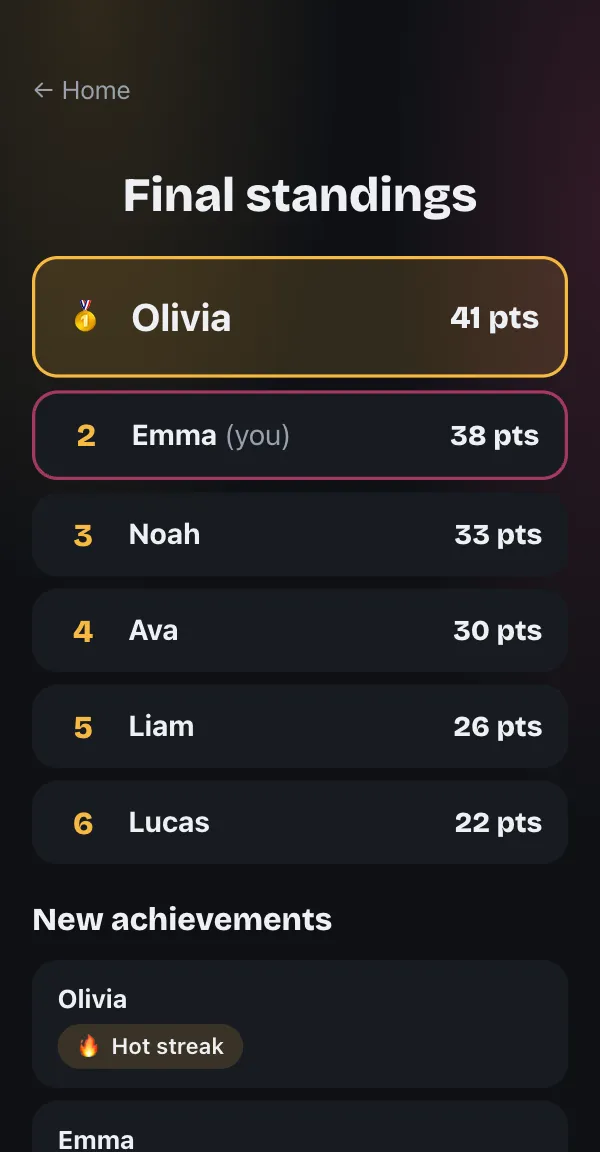
The standings are hidden by default and only shown in the final. If you'd like to keep track, each player can see their own position and coins during the game. You can also turn on a halftime show, which shows the full standings halfway through.
10 categories and your own questions
The questions are sorted into 10 categories: Geography, History, Sweden, Sports, Science, Space, Human body, Food & drink, Tech, and Pop culture. Pick the ones that suit the group, or let the game mix them all. After each question you see the right answer and a short fact.
With a pass you can also play your own questions, for example about the people in the group. Write them in Excel, Numbers or Google Sheets with one question per row, the answer as a number and a unit, save as CSV and upload the file on your profile. Your own questions don't count towards the stats.
Play several games in one evening and the next game in the lobby gets questions you haven't had yet. If the lobby is unlocked with Rounds & teams, this also holds between quiz nights for everyone logged in: questions you have had before come last. The Player Card does the same for whoever has it, in every lobby.
Questions in English or Swedish
Every question comes in both languages. The host picks the question language, and everyone in the game gets the same questions in the same language. Each player chooses the language for buttons and text, so a group that mixes English and Swedish speakers can play the questions in English while some keep the game in Swedish.
A trivia game with friends, in teams
With a pass you can split into up to 6 teams. Players pick a team in the lobby, or the host taps Shuffle evenly, and each team can change its name. The host also chooses how a team answers. With Shared, everyone in the team sees each other's draft, and whoever locks in first answers for the whole team. With Median, everyone guesses on their own and the team's answer is the middle value of the guesses.
The Göta Canal and a football
Someone who has never heard of the Göta Canal can still guess better than someone who has sailed it. Try these two, which aren't in the game:
How long is the Göta Canal in Sweden?
Show the answer
Answer: 190.5 km
87 kilometers of it were dug and blasted. The rest runs through lakes.
Source: sv.wikipedia.org
How many panels is a classic black-and-white football stitched together from?
Show the answer
Answer: 32 panels
12 black pentagons and 20 white hexagons, as on the Adidas Telstar from 1970.
Source: en.wikipedia.org, en.wikipedia.org
Quiz with friends online
If you can't meet up, you can run the quiz over a video call. Create the game on a computer and choose Big screen, share your screen in the call and post the game code in the chat. Everyone goes to howfaroff.com, enters the code and guesses on their own phone, so nobody has to install a quiz app. The question and the countdown show on every phone, which means it doesn't matter if the video lags a little.
Ready to play?
Create a game on the home page, and your friends scan the QR code and join right away. HowFarOff runs in the browser, with no app and no account.
Create a free gameRead more:How to playFrequently asked questions